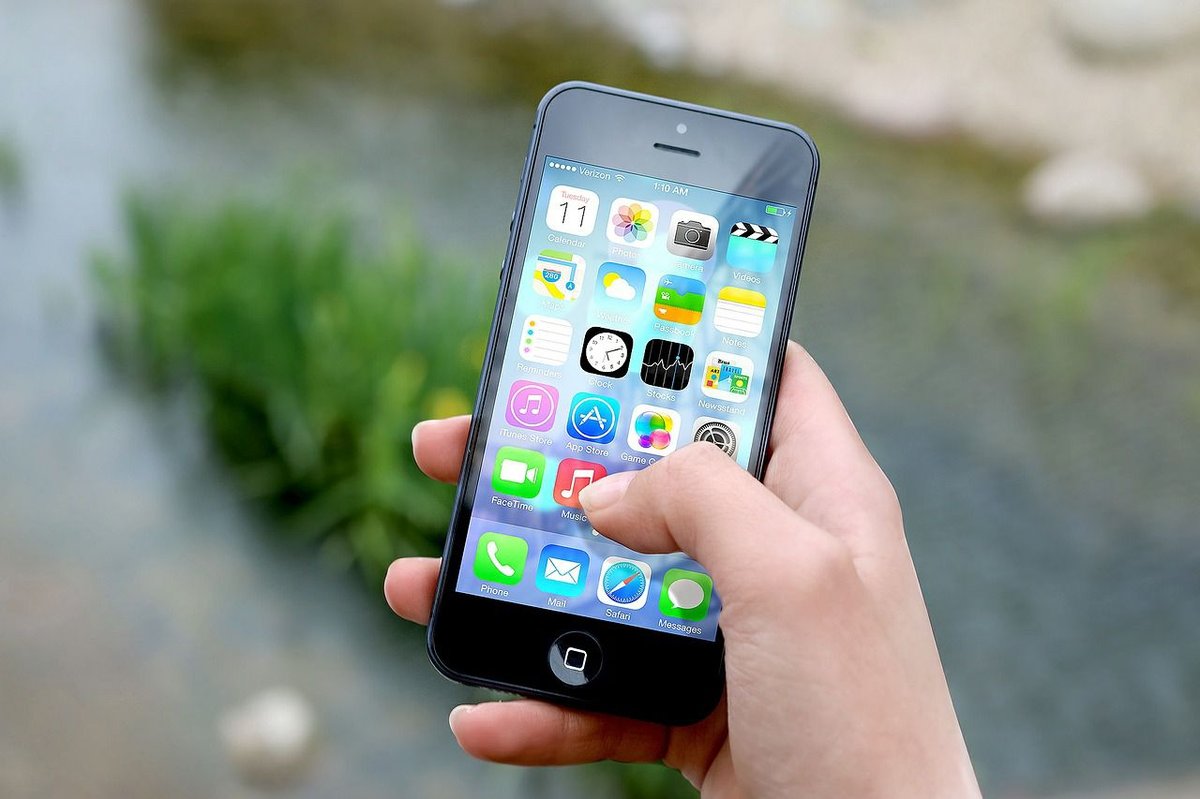
Think of your smartphone as a brain, and its operating system (OS) is the very foundation of its consciousness. It's the unseen architecture dictating how you interact with your device, how apps run, how secure your data is, and ultimately, how seamless your daily digital life feels. From the moment you tap an icon to making a video call, your Smartphone Operating Systems & User Interfaces are at the helm, orchestrating every action and shaping your entire mobile experience. They've transformed phones from simple communicators into sophisticated handheld computers, blending personal computing features with mobile-specific innovations like touchscreens, Wi-Fi, and voice recognition.
At a Glance: Your Mobile OS Explained
- The Brain of Your Phone: A mobile OS is the core software managing hardware, apps, memory, and your interaction.
- More Than Just Calls: It enables emails, gaming, video, media, and countless other functionalities.
- The Big Two Dominators: Android and iOS collectively hold over 99% of the global market share.
- Open vs. Closed: Android is largely open-source and customizable; iOS is closed-source and exclusive to Apple devices.
- Your Choice Matters: OS impacts app availability, security, user experience, device options, and long-term support.
- Beyond the Giants: Niche OS like GrapheneOS, HarmonyOS, and KaiOS offer specialized experiences, from hyper-security to budget-friendly functionality.
- Future-Proofing: Trends point to more AI, AR, 5G integration, and a continued focus on privacy and customization.
The Invisible Hand: What Mobile Operating Systems Really Do
At its heart, a mobile operating system (Mobile OS) is the master controller for your portable device. Whether it’s your smartphone, tablet, or even a smartwatch, the OS is the software that manages every single hardware and software resource. It’s responsible for displaying what you see on screen, handling the apps you download, managing memory and storage, and controlling vital components like the camera, display, and various sensors.
Modern mobile OS have evolved dramatically. They've taken the robust features of personal computer operating systems and injected them with mobile-specific additions: think Wi-Fi connectivity, precise GPS navigation, intuitive touchscreens, and increasingly sophisticated speech recognition. This powerful combination is why your phone isn't just for calls and texts anymore; it's a versatile hub for work, entertainment, and staying connected, capable of everything from sending an email to enjoying high-fidelity gaming or video calls with loved ones.
Many of these systems, particularly those built on the Linux kernel, are open-source. This means their core code is publicly accessible, allowing a vast community of developers to download, inspect, and modify it. This openness often fosters rapid innovation and a rich ecosystem of applications and customizations.
Why Your Choice Matters: Beyond the Brand Logo
Choosing a mobile OS isn't just about picking between an Apple or a Google logo. It's a foundational decision that profoundly impacts your daily interactions, digital security, and even your wallet. The "best" OS isn't universal; it's deeply subjective and depends entirely on your individual preferences, your device's capabilities, your priorities (is security paramount, or is customization?), your brand loyalty, the app ecosystem you rely on, and any specific feature requirements you might have.
For example, a graphic designer might prioritize an OS with excellent cross-device integration for creative workflows, while a privacy advocate might choose an OS hardened against data collection. Your choice shapes everything from the look and feel of your device to how smoothly it integrates with your car, smart home, or even your desktop computer. You can always check your current device's OS version by diving into its settings menu, usually under an "About phone" or "Software information" section.
The Titans of Touch: Android vs. iOS
In the vast landscape of mobile technology, two giants stand tall, dominating the global market: Android and iOS. Together, they command over 99% of all smartphone users. Understanding their core differences is crucial for anyone navigating the mobile world.
Android: The World's Open Playground
Android, developed by Google (which acquired Android, Inc. in 2005), is the undisputed market leader, holding a commanding 72.2% global market share as of April 2025. Unveiled in 2007 and first released in September 2008, Android is built upon the robust Linux kernel, giving it a flexible and powerful foundation.
Its defining characteristic is its open-source nature, which fosters incredible innovation and customization.
Android's Strengths:
- Extensive App Ecosystem: The Google Play Store boasts millions of applications, offering unparalleled choice and variety.
- High Customization and Personalization: Android devices are renowned for their flexibility. You can tweak almost anything, from launchers and widgets to icon packs and notification settings, allowing you to truly make the device your own.
- Multi-Tasking and Widgets: Android excels at true multitasking and offers a rich array of widgets that provide glanceable information directly on your home screen without opening an app.
- Seamless Google Integration: If you're embedded in Google's ecosystem (Gmail, Maps, Drive, Assistant), Android offers unmatched integration and convenience.
- Wide Range of Devices and Price Points: Because Android is open, it's adopted by numerous manufacturers, leading to an incredibly diverse selection of smartphones across all price brackets. You can find a high-end flagship or a budget-friendly device, all running Android.
- Regular Updates: Google consistently releases new versions of Android, bringing new features and security enhancements.
Where Android Can Be Challenging:
- Potential Fragmentation: With so many manufacturers and device models, software updates can be inconsistent. Some devices receive updates quickly, while others might lag or stop receiving them altogether, leading to a fragmented experience.
- Privacy/Security Concerns: Google's business model relies on data collection, which can be a concern for privacy-conscious users, despite robust security measures.
- Inconsistent Software Updates: As mentioned, update cycles vary wildly between manufacturers, and even within a manufacturer's lineup.
- Potential Bloatware: Many manufacturers preload their devices with their own apps and services, which can't always be uninstalled and might consume system resources.
- Resource-Intensive: Due to its vast capabilities and sometimes less optimized skins from manufacturers, Android can be more resource-intensive on battery and processing power than its iOS counterpart.
Android's appeal lies in its versatility, its open nature, and the freedom it offers users to customize their experience. It’s particularly favored by gamers and users who demand granular control over their device.
iOS: Apple's Walled Garden of Refinement
Apple iOS, introduced alongside the original iPhone on June 29, 2007, is Apple Inc.'s proprietary mobile operating system. Derived from Mac OS X, iOS operates on a closed-source platform, making it exclusively available on Apple's own hardware: iPhones, iPod touch devices, and iPads. As of April 2025, iOS holds a significant 26.99% global market share.
iOS's Strengths:
- Robust Security Protocols: Apple is known for its stringent security measures, which are deeply integrated into iOS, providing a highly secure environment for user data and transactions.
- Streamlined User Experience: iOS is celebrated for its intuitive, easy-to-use interface that offers a consistent experience across all Apple devices. This simplicity is a major draw for many users.
- Rich App Store: The Apple App Store features over 2 million high-quality applications. Apple's rigorous app review process often translates to higher app quality and fewer security risks.
- Seamless Integration with Apple Services: For users invested in the Apple ecosystem, iOS offers unparalleled integration with services like iMessage, FaceTime, iCloud, and Handoff across iPhones, iPads, and Macs.
- Strong Camera Function: iPhones consistently deliver excellent camera performance, enhanced by iOS’s integrated software features.
- Efficient Multitasking: While traditionally more limited than Android, recent iOS versions offer capable multitasking features.
- Excellent Long-Term Support: Apple is known for providing software updates to older devices for many years, enhancing their longevity.
Where iOS Can Be Limiting:
- Limited Customization Options: Compared to Android, iOS offers far fewer customization choices. You can change your wallpaper, and rearrange apps, but deeper system-level tweaks are not generally available (unless you "jailbreak" the device, which can void warranties and compromise security).
- Closed Ecosystem: Its exclusivity to Apple hardware means less choice in device models and price points. If you want iOS, you must buy an iPhone.
- Less Hardware Choice: The number of iPhone models released each year is relatively small compared to the vast array of Android devices.
iOS appeals to users who prioritize simplicity, premium hardware, strong security, and a seamless, integrated experience within the Apple ecosystem.
Beyond the Duopoly: Niche, New, and Specialized Operating Systems
While Android and iOS dominate, the mobile OS world isn't entirely a two-horse race. A fascinating array of alternative, specialized, and emerging operating systems cater to specific needs, from ultimate privacy to budget-friendly functionality, and even those looking to break free from corporate ecosystems.
GrapheneOS: The Fortress of Privacy
For the truly privacy-conscious, GrapheneOS stands out. Developed by privacy enthusiasts and security experts, it’s built upon the Android Open Source Project (AOSP) but significantly hardened against vulnerabilities. GrapheneOS focuses on minimizing the attack surface, enhancing sandboxing, and providing granular control over privacy settings.
- Key Features: Kernel hardening, Address Space Layout Randomization (ASLR), advanced sandboxing and isolation for apps, a robust firewall, and the ability to run without Google Play Services. It supports verified boot and secure updates.
- Pros: Superior security and privacy, open-source, granular control, regular security updates.
- Cons: Limited device support (primarily Google Pixel phones), potential app compatibility issues (especially without Google Play Services), and a steeper learning curve for new users.
ColorOS: OPPO's Splash of Personalization
ColorOS, developed by OPPO, is a highly customized Android-based OS first introduced in 2013. With its latest iteration (ColorOS 13 based on Android 13), it aims to offer a unique, user-friendly, and visually appealing experience, focusing on clean UI, customization, and value-added features.
- Key Features: A visually appealing UI with "Aquamorphic Design," a Smart Sidebar for quick access to tools, "Game Space" for optimized gaming, intuitive gestures, an AI-powered smart assistant (Breeno), and system-wide Dark Mode.
- Pros: Intuitive and attractive UI, extensive customization options, smart features, efficient gesture controls, AI assistant, and dark mode.
- Cons: Can come with bloatware, software updates can sometimes be delayed compared to stock Android, limited to OPPO devices, and may have performance issues on older hardware.
Sailfish OS: The European Alternative
Born from ex-Nokia "MeeGo" developers, Sailfish OS by Jolla offers a partly open-source (GPL) European alternative to the dominant players. It runs on a Linux kernel and is known for its efficient gesture-based UI and focus on user experience.
- Key Features: Intuitive gesture controls, regional licensing, full OS upgrades, and crucially, compatibility with many Android applications (through an Android runtime layer). It can run on Jolla phones, Sony Xperia devices, and the Gemini PDA.
- Pros: Secure platform, unique gesture-based interaction, supports a wide range of Android apps, and offers a distinct non-Google/Apple ecosystem.
- Cons: Limited app ecosystem for native Sailfish apps, niche hardware support, and a learning curve for its gesture-based interface.
postmarketOS: Reviving Old Hardware
postmarketOS is a community-driven, Linux-based initiative built on Alpine Linux. Its primary goal is to provide a modern, sustainable, open, privacy-focused, and secure alternative for mobile devices, particularly focusing on reviving older hardware to reduce e-waste.
- Key Features: Fully open-source and libre (FOSS), strong focus on security and privacy, lightweight and efficient (making it suitable for older devices), extensive device support (for a niche OS), and "convergence" capabilities that allow a desktop-like experience when connected to external displays.
- Pros: Extends the life of older phones, enhanced security and privacy, highly customizable, and a commitment to open-source principles.
- Cons: Limited app ecosystem, potential compatibility issues with common mobile apps, a steep learning curve, and still under active development, meaning varying levels of stability.
Ubuntu Touch: The Convergence Dream
Ubuntu Touch, originally developed by Canonical, aimed for a unified experience across smartphones, tablets, and even desktops. Announced in 2013, it’s an open-source, Linux kernel-based OS. While Canonical scaled back its involvement, the community-driven UBports Foundation continues its development.
- Key Features: "Convergence" that allows a phone to function as a desktop when connected to a monitor, "Scopes" (dynamic home screens providing contextual information), support for native Ubuntu SDK apps and web apps (HTML5, CSS, JS), and a strong privacy focus.
- Pros: True convergence capabilities, open-source and privacy-focused, high customization, and regular security updates.
- Cons: Limited app ecosystem and developer support, potential compatibility issues, restricted hardware support, and a learning curve for its unique interface.
KaiOS: Bridging the Digital Divide
KaiOS, introduced in 2017 by KaiOS Technologies, is a web-based operating system designed for feature phones and entry-level smartphones. It aims to bridge the gap between basic phones and advanced smartphones by offering smart features at an affordable price, particularly popular in emerging markets.
- Key Features: Lightweight and efficient (ideal for low-cost devices and excellent battery life), web-based platform for easy app creation (HTML5, CSS, JavaScript), an intuitive UI for basic phones, and connectivity options like Wi-Fi and GPS, supporting social media and online services.
- Pros: Affordable and accessible, intuitive UI for its target audience, growing ecosystem with partnerships (including Google apps), and efficiency on limited hardware.
- Cons: Limited hardware capabilities, restricted functionality compared to full smartphones, smaller app ecosystem than Android/iOS, and potential security/privacy concerns due to its web-based architecture.
HarmonyOS: Huawei's Strategic Move
HarmonyOS (known as Hongmeng OS in China), launched by Huawei in 2019, was developed in response to US trade restrictions that impacted Huawei's access to Google Android services. It's an open-source, microkernel-based OS designed for a unified, seamless experience across a vast array of devices, not just smartphones.
- Key Features: Cross-platform capability across smartphones, tablets, wearables, smart TVs, and IoT devices; a distributed architecture that allows devices to form a virtual "super device" for shared functionality; enhanced security through its microkernel design; and a deterministic latency engine for precise task scheduling and performance.
- Pros: Broad device compatibility and seamless integration across Huawei's product ecosystem, enhanced performance, and strong security.
- Cons: Limited app ecosystem outside China, relatively new market adoption in the West, and requires users to adapt to its unique approach to device interaction.
Blackberry OS: A Legacy of Security (Largely Defunct)
Though largely defunct in today's smartphone market, Blackberry OS (built on QNX software systems) historically played a crucial role, particularly among government employees and enterprise users due to its robust security and excellent connectivity.
- Historical Pros: Unparalleled email integration, the iconic Qwerty keyboard, and robust messaging services like BBM (BlackBerry Messenger).
- Historical Cons: Poor battery life compared to later rivals and generally poor camera quality. Its closed ecosystem struggled to compete with the app ecosystems of Android and iOS.
Bliss OS: Android, but Different
Bliss OS is another open-source, Android-based operating system. It’s known for its extensive customization options and a strong focus on privacy-centric features, aiming to provide a more tailored Android experience for users who want more control.
Key Factors When Choosing Your Next OS
Selecting a mobile operating system is a personal journey, but a few universal factors should guide your decision. These elements influence everything from your daily convenience to your long-term satisfaction.
- User Interface and Ease of Use: How does it feel? Some prefer the clean, minimalist approach of iOS, while others thrive on Android's flexibility. Test both if possible. Is navigation intuitive? Can you find settings easily?
- App Ecosystem and Availability: This is critical. Do your must-have apps exist on your chosen platform? Are they well-maintained? While major apps are on both Android and iOS, niche apps, specific games, or even new social platforms might debut on one before the other. Consider app quality and pricing too.
- Security and Privacy Features: Are you comfortable with how the OS developer handles your data? iOS is known for its strong privacy stance, while Android offers more granular controls if you're willing to configure them. Niche OS like GrapheneOS prioritize hyper-security. Look for features like robust encryption, app permissions control, and regular security updates.
- Hardware Compatibility and Device Choices: Do you want a vast selection of phones at various price points (Android), or do you prefer premium, tightly integrated devices (iOS)? Alternatives like GrapheneOS might limit you to specific hardware (e.g., Pixel phones), while KaiOS targets feature phones.
- Update Frequency and Long-Term Support: How often does the OS receive updates, and for how long will your device be supported? Regular updates mean better security and new features. Apple is excellent for long-term support; Android varies by manufacturer.
- Integration with Other Devices or Services: If you own other Apple products (Mac, Apple Watch), iOS offers seamless continuity. If you're deep into Google services, Android is a natural fit. Consider your existing tech ecosystem, including smart home devices and wearables.
- User-Friendliness and Brand Trustworthiness: This is often an intangible feeling. Do you trust the brand behind the OS? Does their approach to technology align with your values? A reputable brand often means better support and a more reliable experience.
The Future Is Mobile: Trends Shaping OS Development
The world of Smartphone Operating Systems & User Interfaces is anything but static. As technology progresses, so do the capabilities and demands placed on our mobile brains. Here’s a glimpse into the trends that will define the next generation of mobile OS:
- Artificial Intelligence Integration: Expect smarter voice assistants, more accurate predictive text, and deeply personalized user experiences that anticipate your needs. AI will power everything from camera enhancements to battery optimization.
- Augmented Reality Capabilities: AR is moving beyond novelty. OS will offer more robust frameworks for immersive experiences in everything from gaming and entertainment to shopping and education.
- 5G Compatibility: With ultra-fast 5G networks becoming ubiquitous, mobile OS will be optimized to leverage these speeds for data-heavy applications, cloud gaming, and instantaneous communication.
- Foldable and Flexible Displays: As hardware becomes more versatile, OS will need to adapt their user interfaces to seamlessly transition between different screen sizes and orientations, offering fluid experiences on these innovative devices.
- Cloud Computing Features: Enhanced integration with cloud services will mean greater storage efficiency, faster backups, and seamless data synchronization across all your devices, reducing reliance on local storage.
- Increased Competition: While Android and iOS dominate, emerging operating systems like HarmonyOS will continue to drive innovation, pushing both giants to evolve faster. The push for privacy-focused alternatives will also grow.
- Customization Demand: Users increasingly want to tailor their digital environments. Future OS will likely offer even higher levels of personalization, allowing for more unique looks and workflows.
- Privacy and Security Focus: With growing data concerns, there will be continued emphasis on robust security measures, transparent data practices, and giving users more control over their personal information.
- Sustainability Trends: Expect OS design to integrate more eco-friendly practices, such as optimizing for longer device lifecycles, energy-efficient operations, and potentially even features that track and reduce your digital carbon footprint.
- Cross-Platform Compatibility: The lines between smartphones, tablets, smart home devices, and even PCs will continue to blur. Future OS will prioritize seamless connectivity and interoperability, creating a truly unified digital ecosystem. For a deeper dive into the dynamic world of mobile technology, you might want to Explore Mode Mobile.
Addressing Common Questions & Misconceptions
When discussing mobile OS, certain questions and myths frequently pop up. Let's clarify some of the most common ones.
Is one OS inherently more secure than the other?
Both Android and iOS have robust security features. iOS is often perceived as more secure due to its closed ecosystem and strict app review process. However, Android's open nature allows for more diverse security solutions and hardening options (like GrapheneOS). The "most secure" OS often depends on user behavior and what level of control they exercise over their privacy settings.
Do I need to "jailbreak" or "root" my phone?
No, not for typical usage. Jailbreaking (for iOS) or rooting (for Android) gives you deeper system access and customization but comes with significant risks. It can void your warranty, compromise security, and potentially "brick" your device if not done correctly. For most users, the benefits don't outweigh the risks.
What is "bloatware"?
Bloatware refers to pre-installed applications by device manufacturers or carriers that often cannot be uninstalled. While some might be useful, many are redundant or unwanted, consuming storage space and system resources. Android devices, due to their open nature and diverse manufacturers, are more prone to bloatware than iOS devices.
Can I switch my phone's OS?
Generally, no. Your phone's hardware is designed and optimized for a specific operating system (e.g., an iPhone runs iOS, a Samsung phone runs Android). While some niche communities attempt to install alternative Linux-based OS like postmarketOS on specific older devices, it's not a straightforward process for the average user and isn't officially supported.
Does a newer OS version always mean a better experience?
Not always, though typically, yes. Newer OS versions usually bring security patches, new features, and performance improvements. However, on older hardware, a new OS can sometimes lead to slower performance or reduced battery life if the device isn't fully optimized for the update. Always check reviews or wait a bit before updating if you have an older model.
Making an Informed Decision
Ultimately, the smartphone operating system you choose is a reflection of your priorities. Do you value the expansive freedom and vast device selection of Android, or the streamlined simplicity and robust security of iOS? Are you a privacy purist considering GrapheneOS, or do you need an affordable, web-centric experience like KaiOS?
There's no single "right" answer. By understanding the core philosophies, strengths, and weaknesses of each major player, and considering your personal needs regarding apps, security, customization, and budget, you can make a choice that truly enhances your mobile life. Test different devices, read reviews, and think about how your phone fits into your broader digital ecosystem. Your ideal mobile experience is waiting for you, powered by the operating system that best serves your world.